
Plays a Main Content video and a Background Music video side by side, with volume that mixes automatically when Main Content is paused/interrupted.
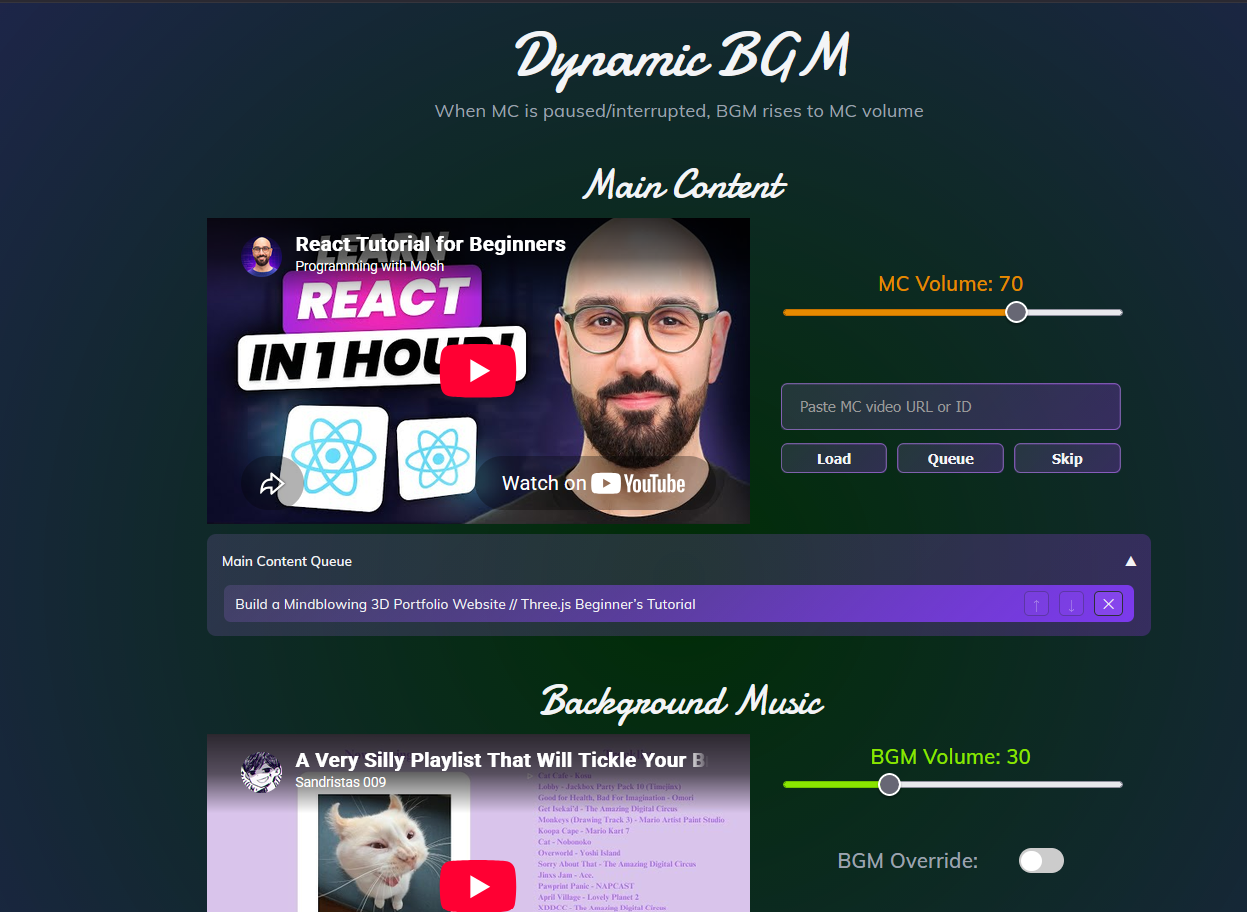
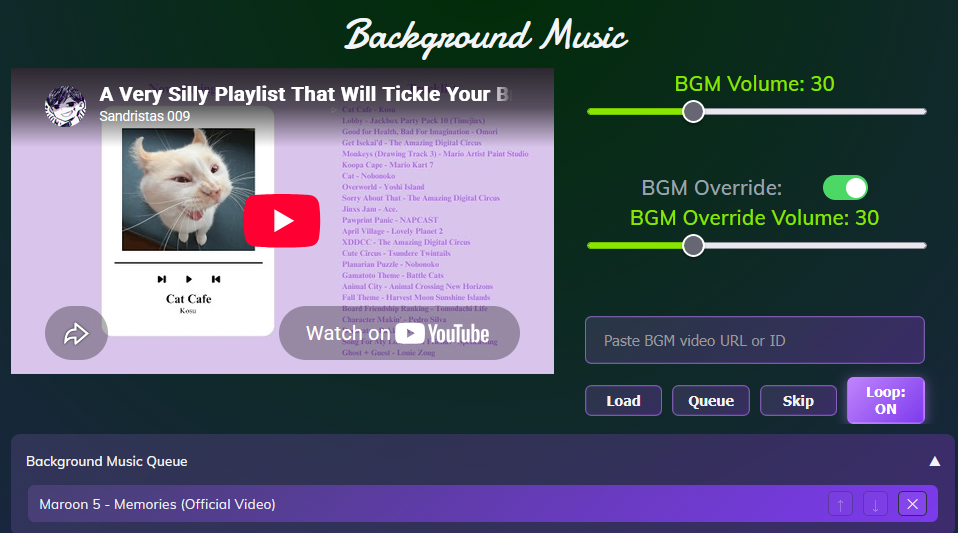
Plays a Main Content video and a Background Music video side by side, with volume that mixes automatically.
Dynamic volume mixing — when Main Content is paused or interrupted, the BGM automatically rises up to the MC volume so it never goes silent.
BGM Override — set a custom volume for BGM during MC interruptions instead of rising to MC volume.
Per-track queues — queue up YouTube videos for each player, with auto-advance, manual Skip, and reorder/remove.
BGM Loop — loop the current BGM track.
Session persistence — volumes, queues, current videos, and playback position survive a page refresh (via localStorage).
Playlist defaults — content seeded from a JSON playlist.
Two YouTube players run side by side. While MC is playing the BGM sits at its low background level. Whenever MC is paused, buffering, or ended, the BGM volume is raised automatically so the music fills the silence.
Prerequisites: Node.js
Clone the repo
Run npm install
Run npm run dev
Open the printed link (usually http://localhost:5173) in your browser
Play both videos
Paste a YouTube URL or video ID into either input box, then press Load (play now) or Queue (add to up-next).
Use the volume sliders to balance MC and BGM.
Toggle BGM Override to set a separate volume for BGM during MC pauses.
Click Skip to jump to the next queued video, or reorder/remove items inside each queue.
src/
├── App.jsx               # Main app: volume logic, state, handlers
├── main.jsx              # Entry point
├── YouTubePlayer.jsx     # Wrapper around the YouTube iframe API
├── QueuePanel.jsx        # Collapsible queue list (reorder/remove)
├── queue.js              # Resolves and exposes the active playlist
├── playlists.json        # Default playlist content
└── utils/
    ├── constants.js      # Defaults, error messages, sizes
    ├── toVideoId.js      # Parses URL/ID into an 11-char video ID
    └── fetchVideoTitle.js# Fetches + caches titles via oEmbed
React 19
Vite
Google YouTube iframe API
None - MVP status.