
Daksh
2
Article
2710
View
0
Followers
Building Your First Smart Contract on Arbitrum: A Beginner’s Step-by-Step Guide
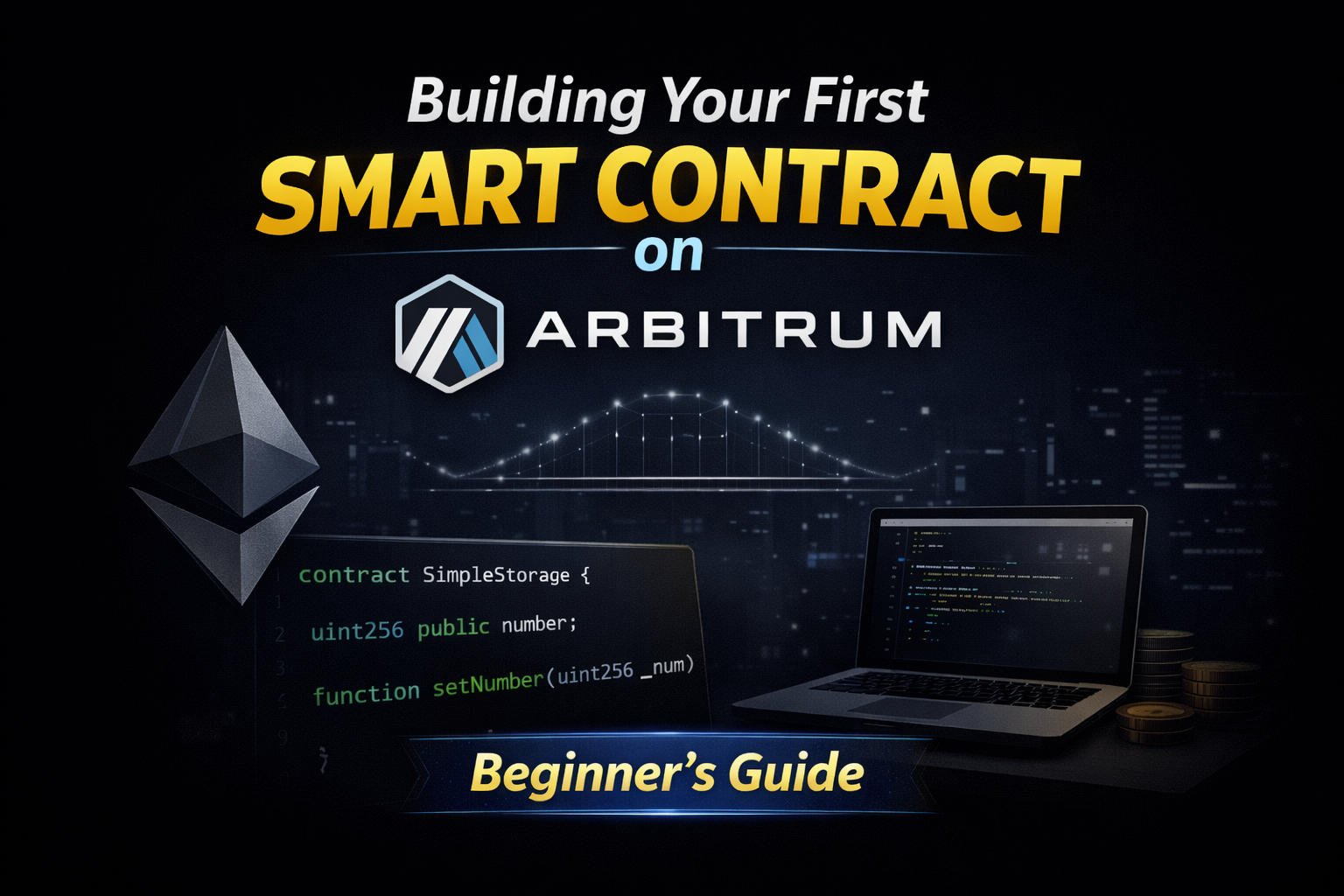
🚀 From Understanding L2s → Actually Building
In the previous article we explored:
what Arbitrum is
why Layer 2 scaling matters
how Optimistic Rollups work
But learning Web3 isn’t just about understanding concepts.
The real magic happens when you deploy something on-chain yourself.
So in this guide we’ll walk through something exciting:
👉 Deploying your first smart contract on Arbitrum.
Even if you’ve never built a Web3 app before.
🧠 What is a Smart Contract?


A smart contract is basically a program stored on the blockchain.
Instead of running on a server like a normal app:
It runs on Ethereum or Layer 2 networks like Arbitrum.
Once deployed, the contract:
• cannot be changed easily
• runs automatically
• is transparent for everyone
Think of it like a digital vending machine:
1️⃣ You put in a request
2️⃣ The contract executes rules
3️⃣ The result happens automatically
No middleman required.
⚙️ Tools You'll Need (Developer Setup)
Before writing our contract we need a few tools.
Don't worry — the setup is pretty simple.
Basic toolkit:
• Node.js
• Hardhat (development framework)
• MetaMask wallet
• Some test ETH
If you’ve built on Ethereum before, here's the good news:
👉 Arbitrum uses the same tools.
So the learning curve is very small.
🌉 Connecting to the Arbitrum Test Network
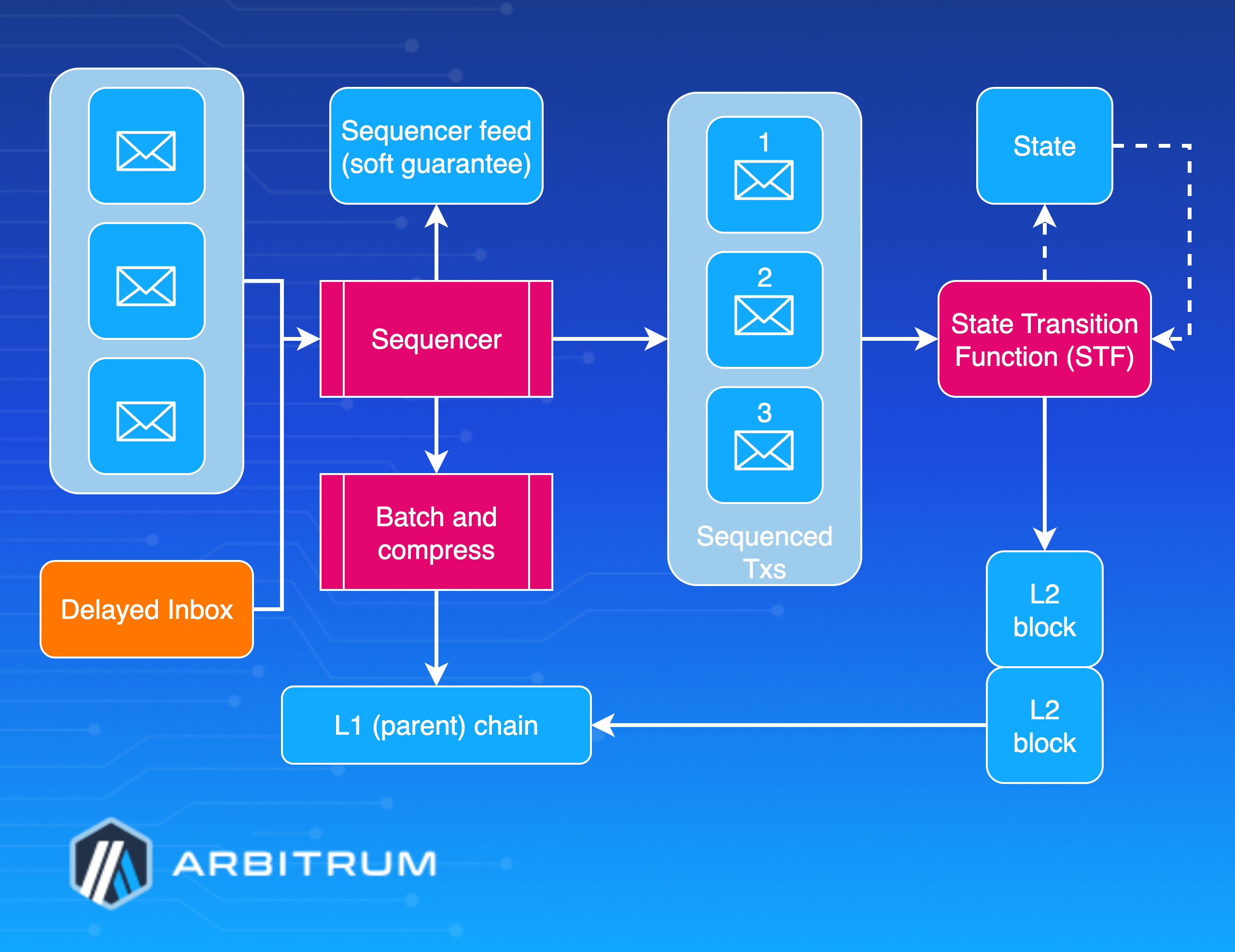

When developers build apps, they usually test on a testnet.
This lets you experiment without risking real money.
The most common Arbitrum test network is:
👉 Arbitrum Sepolia
Add it to MetaMask:
Network Name: Arbitrum Sepolia
RPC URL: https://sepolia-rollup.arbitrum.io/rpc
Chain ID: 421614
Currency Symbol: ETH
After connecting, grab some test ETH from a faucet.
Now you're ready to deploy contracts.
🧾 Writing Your First Smart Contract
Let's start with something extremely simple.
A contract that stores a number.
// SPDX-License-Identifier: MIT
pragma solidity ^0.8.20;

contract SimpleStorage {

    uint256 public number;

    function setNumber(uint256 _num) public {
        number = _num;
    }

    function getNumber() public view returns(uint256){
        return number;
    }
}
This contract does three things:
• saves a number
• lets users update it
• lets anyone read it
Simple — but powerful.
Because once deployed, this logic runs on the blockchain forever.
🚀 Deploying the Contract
Using Hardhat, deployment only takes a few seconds.
Install Hardhat:
npm install --save-dev hardhatConfigure the Arbitrum network in your project.
Then run:
npx hardhat run scripts/deploy.js --network arbitrumSepoliaYour contract will be deployed to Arbitrum.
And because it’s Layer 2:
⚡ transactions are faster
💰 fees are much lower
🔎 Viewing Your Contract on the Blockchain
After deployment you'll get a contract address.
You can view it on:
Arbiscan
This lets you:
• view transactions
• inspect contract data
• interact with functions
• verify the source code
Think of Arbiscan as the Google search engine of blockchain data.
🛠 What Should You Build Next?
Once you've deployed your first contract, you can start building real apps.
Ideas to explore:
• create your own ERC-20 token
• build an NFT minting contract
• create a DAO voting system
• build a simple Web3 game
Each project teaches a new concept.
And thanks to Arbitrum’s low fees, experimenting becomes much easier.
💡 Final Thoughts
Web3 can feel intimidating at first.
But once you deploy your first smart contract, everything clicks.
You realize something powerful:
You're not just writing code.
You're writing code that lives on the internet forever.
And with platforms like Arbitrum, building Web3 apps is faster, cheaper, and more accessible than ever.
So don’t overthink it.
Build something small.
Deploy it.
Then keep going.