
Braised six
40
文章
15865
查看
13
关注者
0G Storage 实战:手把手教你用 React + Node.js 实现存储与下载

大家好,我是红烧6,最近在玩 0G(Zero Gravity)Storage 这个专为 AI 大模型打造的去中心化存储网络,发现它上传下载速度飞快、费用低廉,简直是存 储神器。 今天分享一个我自己写的前后端小项目:拖拽上传任意大小文件 → 永久存储 → 一键下载,爽到飞起!
0G Storage 为什么适合存模型?
对比维度 | 0G Storage | 传统中心化存储(如 AWS / Google Cloud) | 去中心化存储(如 IPFS / Arweave) |
|---|---|---|---|
架构定位 | 原生为 AI 设计的存储层 | 通用云存储 | 通用去中心化文件存储 |
是否支持大模型 | ✅ 天然支持 TB/PB 级模型 | ✅ 支持 | ⚠️ 能存但不友好 |
读取性能 | 高吞吐、低延迟,接近 Web2 体验 | 高性能 | 普遍慢,延迟高 |
专为模型优化 | ✅ 针对权重文件 / 分片 / 并行加载优化 | ❌ 无专门 AI 优化 | ❌ 无 |
适合推理加载 | ✅ 模型可被快速加载用于推理 | ✅ | ❌ 慢,难以用于实时推理 |
数据可用性保证 | ✅ 内建可用性证明机制 | 依赖 SLA | ⚠️ 依赖网络健康度 |
可信性 | ✅ 可验证存储 | ❌ 信任平台 | ✅ 可验证 |
成本结构 | 长期成本更低,可链上协调 | 持续租金,规模越大越贵 | 部分一次性付费,扩展性差 |
上链友好 | ✅ 可作为 AI Rollup / L2 数据层 | ❌ 原生不支持 | ⚠️ 需要额外中间层 |
权限控制 | ✅ 支持可编程访问控制 | ✅ | ⚠️ 原生弱 |
Web3 配合度 | ✅ 原生集成 | ❌ | ✅ |
第一步:准备工作
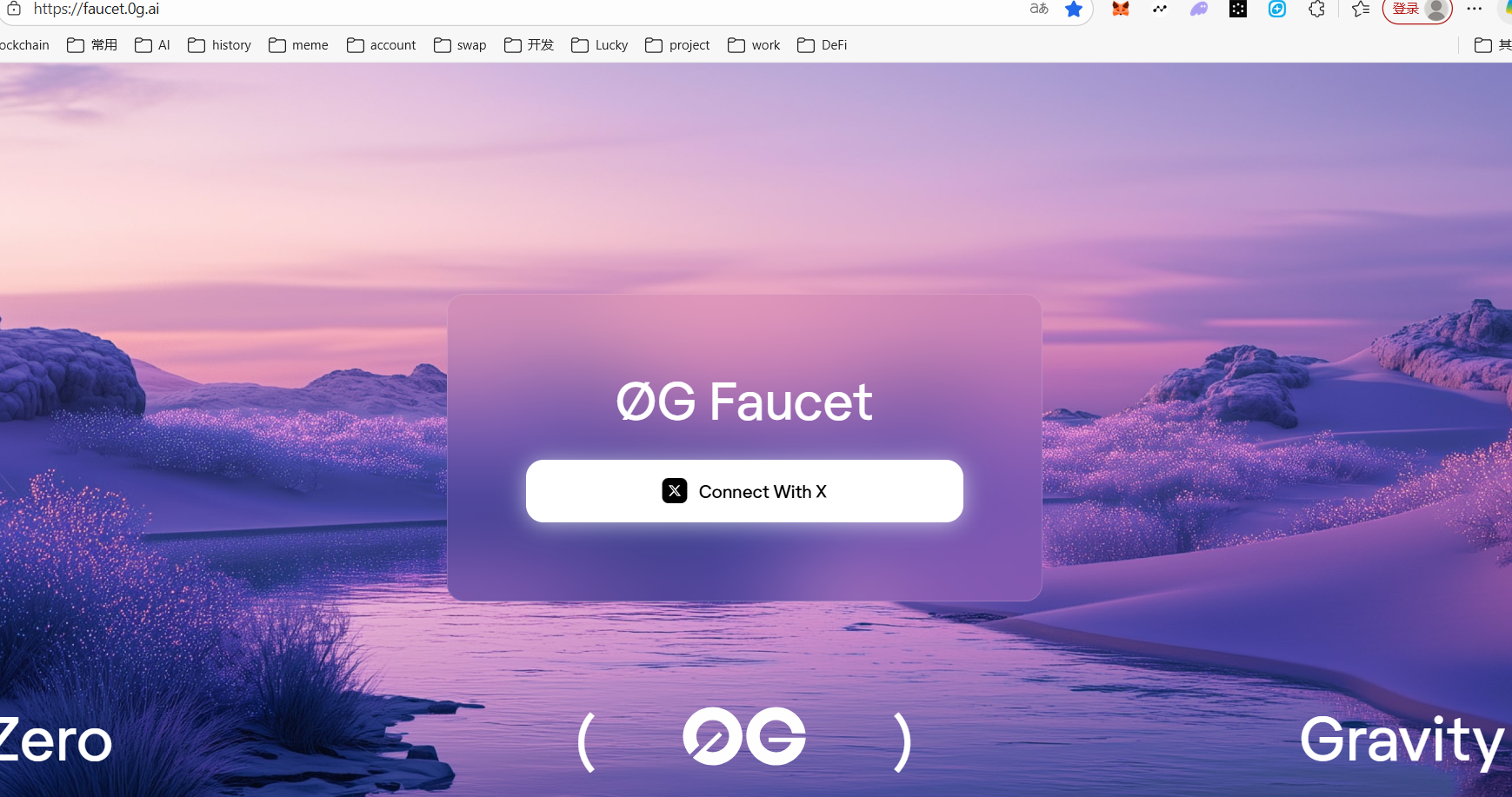
领测试币:https://faucet.0g.ai
第二步:服务端(Node.js + 官方 TS SDK)
拉取官方示例代码
git clone https://github.com/0gfoundation/0g-storage-ts-starter-kit.git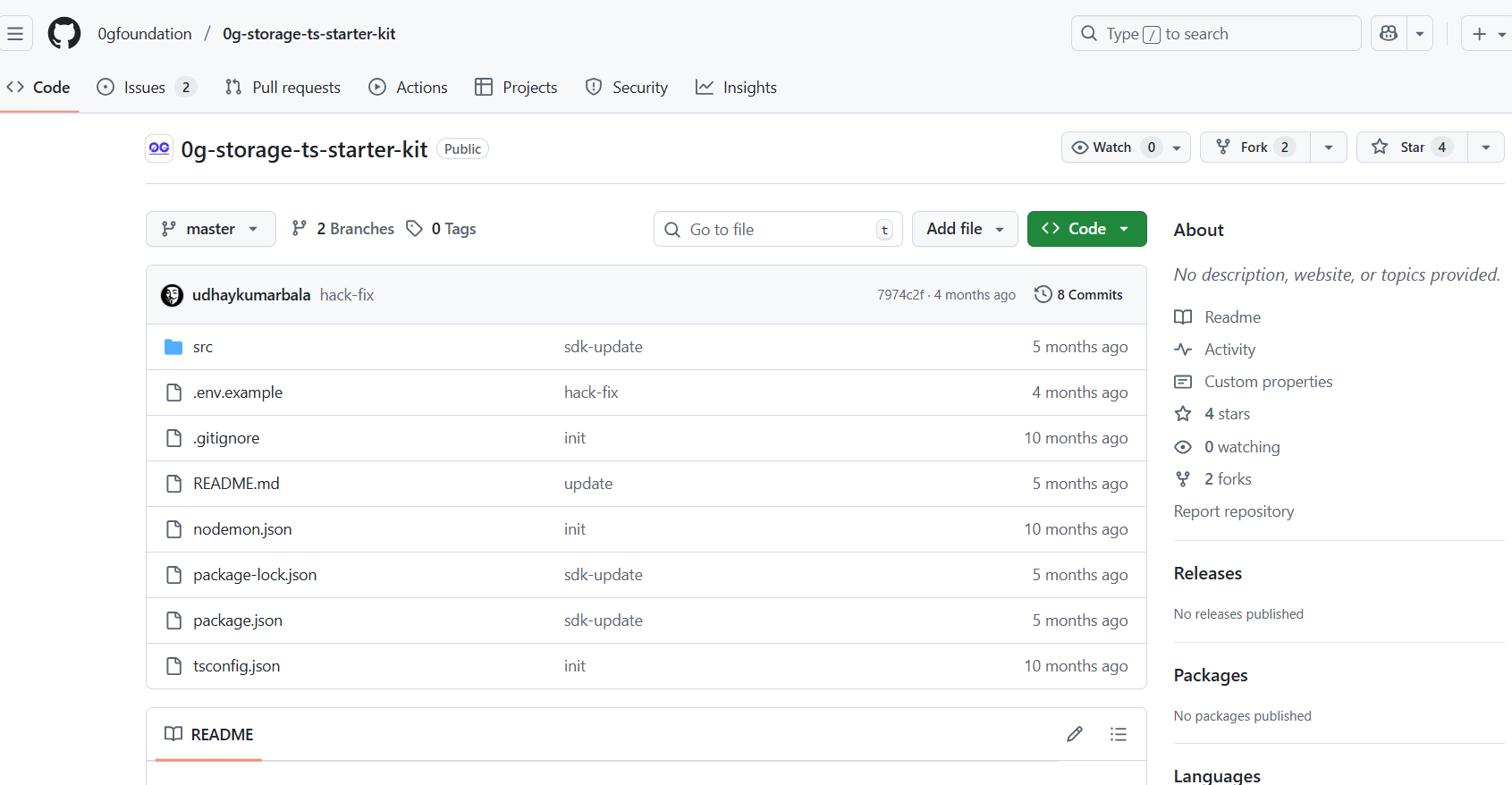
创建 .env 文件
# Server Configuration
PORT=3000

# Network Configuration
RPC_URL=https://evmrpc-testnet.0g.ai/
INDEXER_RPC=https://indexer-storage-testnet-turbo.0g.ai

# Authentication
PRIVATE_KEY=your_private_key_here  # Replace with your private key  注意:前缀加上0x
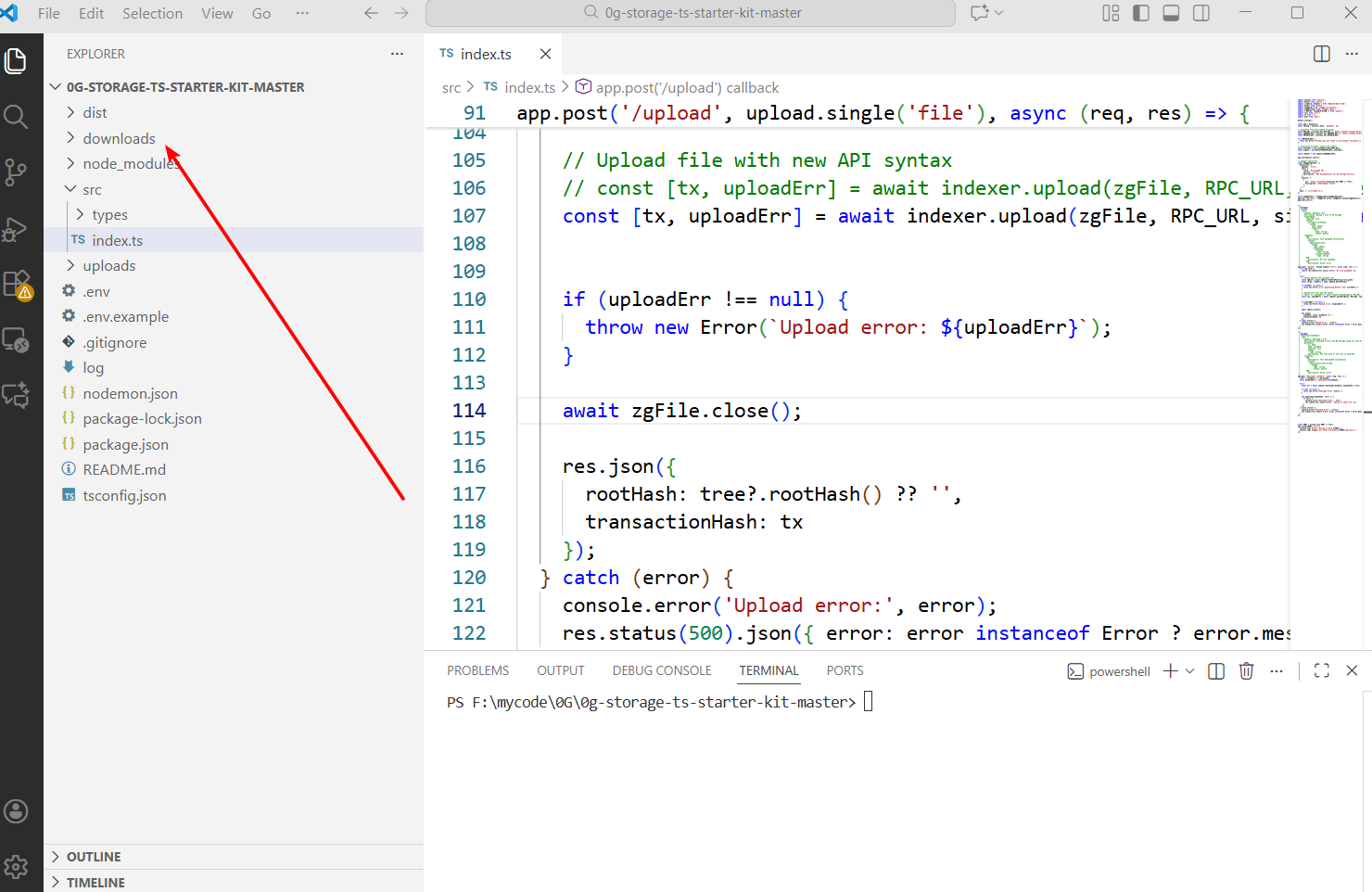
手动创建 downloads 文件夹,如果不创建,下载的时候会报错
启动服务
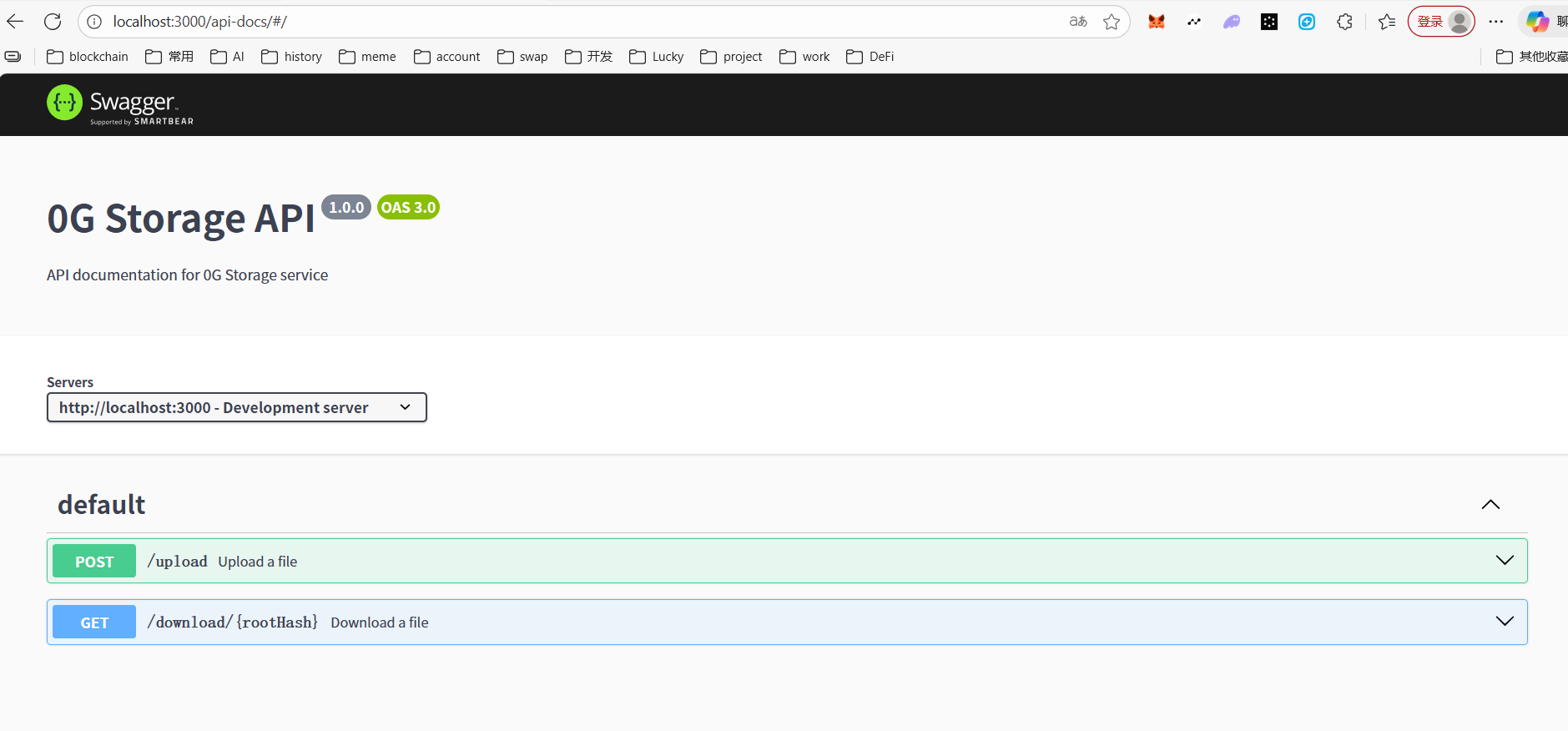
npm start访问 http://localhost:3000/api-docs swgger UI (可选)
第三步:前端(React + 拖拽上传)
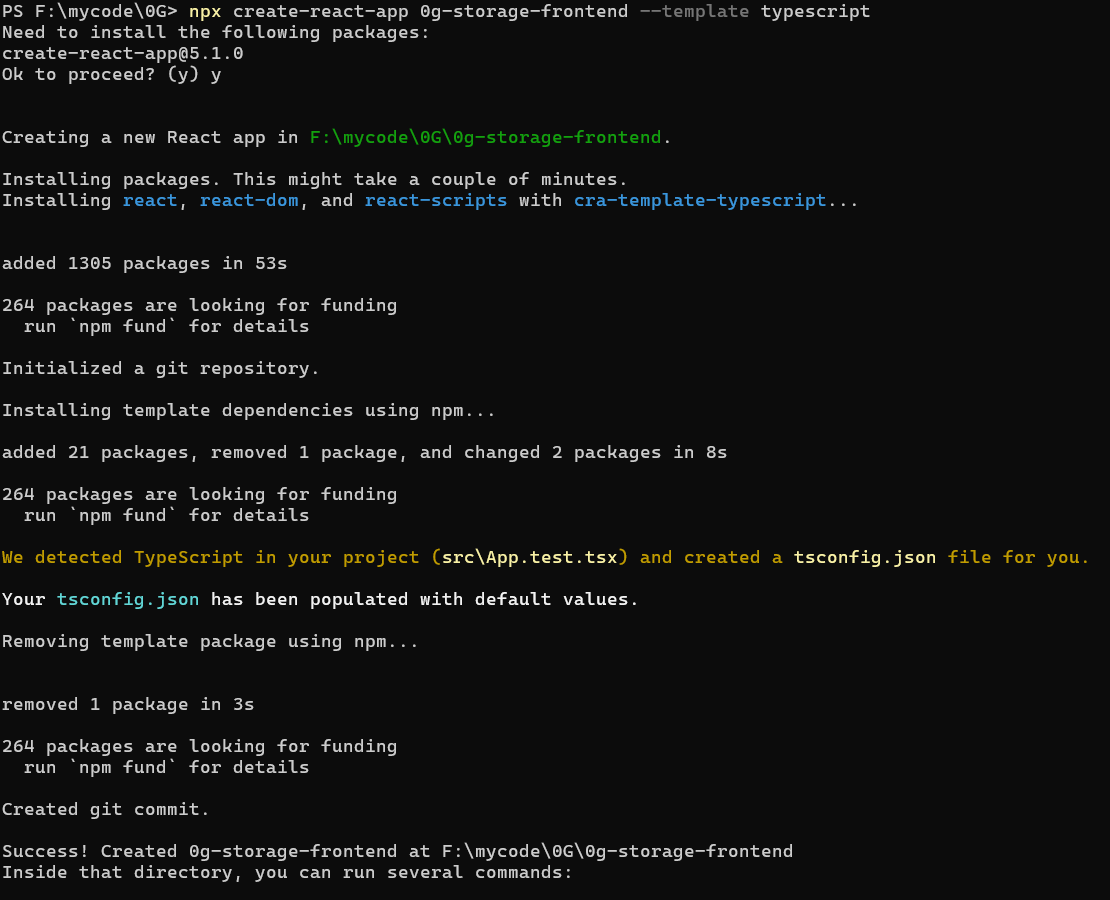
创建项目并安装依赖
# 1. 创建一个全新的 React + TypeScript 项目
npx create-react-app 0g-storage-frontend --template typescript
cd 0g-storage-frontend

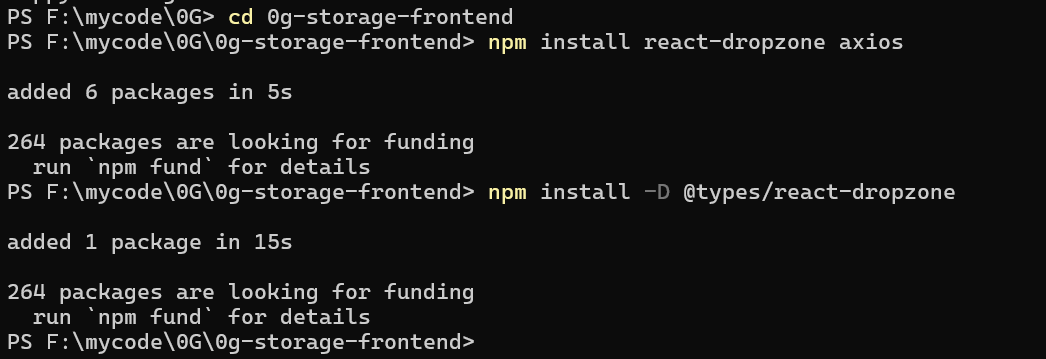
# 2. 安装必须依赖
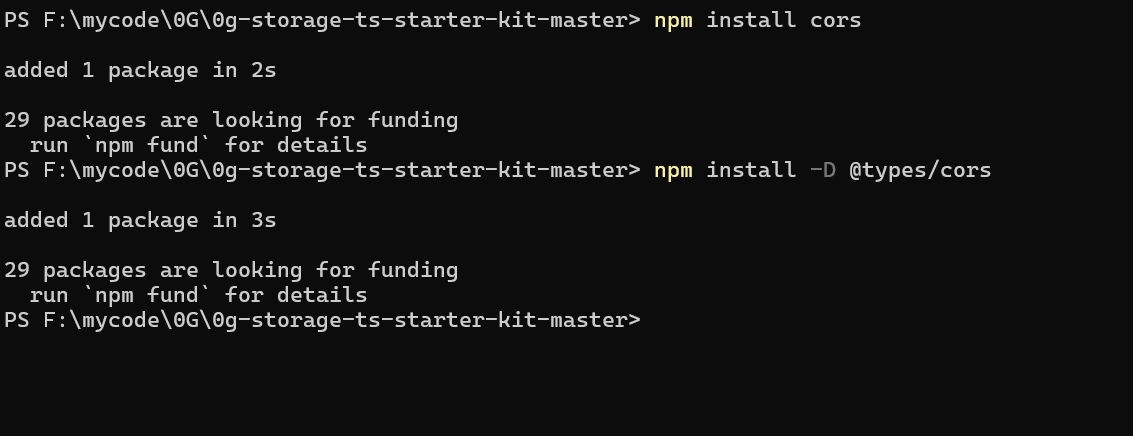
npm install react-dropzone axios cors

# 3. (可选但推荐)安装类型声明,防止 TS 报红
npm install -D @types/react-dropzone
npm install -D @types/cors
替换掉 src/App.tsx 中的代码
import React, { useState, useEffect, useCallback } from 'react';
import { useDropzone } from 'react-dropzone';
import axios from 'axios';
import './App.css';

interface Version {
  rootHash: string;
  txHash: string;
  filename: string;
  size: number;
  timestamp: string;
}

function App() {
  const [versions, setVersions] = useState<Version[]>([]);
  const [uploading, setUploading] = useState(false);
  const [status, setStatus] = useState<string>('');

  // 改成你后端实际端口(你代码里是 3000)
  const API_URL = 'http://localhost:3000';

  // 加载本地历史
  useEffect(() => {
    const saved = localStorage.getItem('0g-versions');
    if (saved) {
      setVersions(JSON.parse(saved));
    }
  }, []);

  const onDrop = useCallback(async (acceptedFiles: File[]) => {
    const file = acceptedFiles[0];
    if (!file) return;

    setUploading(true);
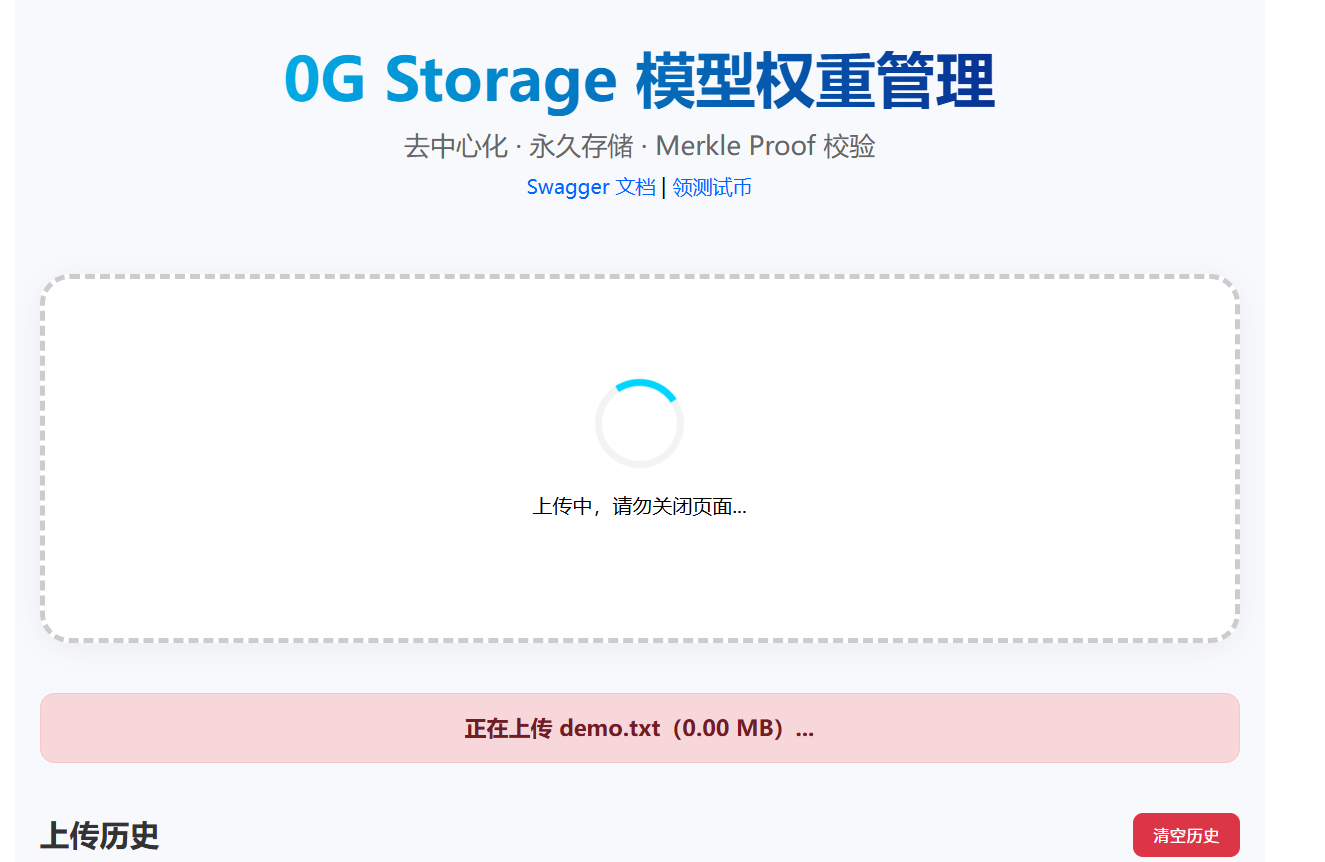
    setStatus(`正在上传 ${file.name}(${(file.size / 1024 / 1024).toFixed(2)} MB)...`);

    const formData = new FormData();
    formData.append('file', file);

    try {
      const res = await axios.post(`${API_URL}/upload`, formData, {
        headers: { 'Content-Type': 'multipart/form-data' },
        timeout: 600000, // 10分钟超时,大模型也能传
      });

      const newVersion: Version = {
        rootHash: res.data.rootHash,
        txHash: res.data.transactionHash.txHash,
        filename: file.name,
        size: file.size,
        timestamp: new Date().toLocaleString('zh-CN'),
      };

      const updated = [newVersion, ...versions];
      setVersions(updated);
      localStorage.setItem('0g-versions', JSON.stringify(updated));

      setStatus(`上传成功!Root: ${res.data.rootHash.slice(0, 16)}...`);
    } catch (err: any) {
      const msg = err.response?.data?.error || err.message || '未知错误';
      setStatus(`上传失败:${msg}`);
      console.error('上传错误:', err);
    } finally {
      setUploading(false);
    }
  }, [versions]);

  const { getRootProps, getInputProps, isDragActive } = useDropzone({
    onDrop,
    multiple: false,
  });

  const downloadFile = (rootHash: string, filename: string) => {
    window.open(`${API_URL}/download/${rootHash}`, '_blank');
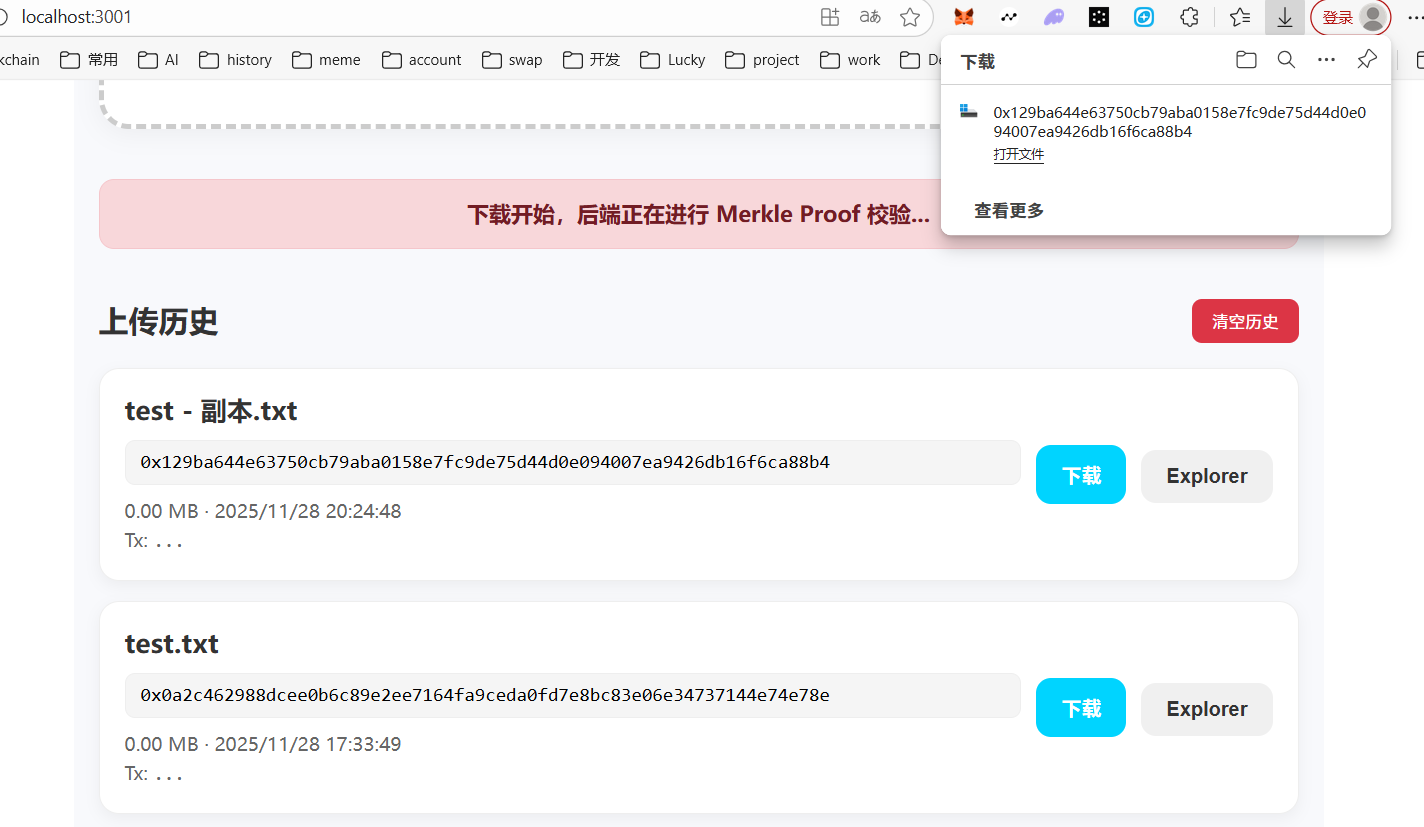
    setStatus('下载开始,后端正在进行 Merkle Proof 校验...');
  };

  const openExplorer = (rootHash: string) => {
    window.open(`https://explorer.0g.ai/storage?root=${rootHash}`, '_blank');
  };

  const clearHistory = () => {
    localStorage.removeItem('0g-versions');
    setVersions([]);
    setStatus('历史已清空');
  };

  return (
    <div className="app">
      <div className="header">
        <h1>0G Storage 模型权重管理</h1>
        <p>去中心化 · 永久存储 · Merkle Proof 校验</p>
        <div className="links">
          <a href={`${API_URL}/api-docs`} target="_blank" rel="noreferrer">
            Swagger 文档
          </a>
          <span> | </span>
          <a href="https://faucet.0g.ai" target="_blank" rel="noreferrer">
            领测试币
          </a>
        </div>
      </div>

      <div
        {...getRootProps()}
        className={`dropzone ${isDragActive ? 'active' : ''} ${uploading ? 'uploading' : ''}`}
      >
        <input {...getInputProps()} />
        {uploading ? (
          <div className="uploading">
            <div className="spinner"></div>
            <p>上传中,请勿关闭页面...</p>
          </div>
        ) : isDragActive ? (
          <p>松开鼠标即可上传</p>
        ) : (
          <div>
            <p className="big">拖拽模型文件到这里</p>
            <p className="small">
              支持 .bin / .pt / .gguf / .safetensors 等格式
              <br />
              或点击选择文件
            </p>
          </div>
        )}
      </div>

      {status && <div className={`status ${status.includes('成功') ? 'success' : 'error'}`}>{status}</div>}

      <div className="history-header">
        <h2>上传历史</h2>
        {versions.length > 0 && (
          <button onClick={clearHistory} className="clear-btn">清空历史</button>
        )}
      </div>

      {versions.length === 0 ? (
        <p className="empty">暂无上传记录,拖拽文件开始吧!</p>
      ) : (
        <div className="versions">
          {versions.map((v, i) => (
            <div key={i} className="version-item">
              <div className="info">
                <div className="filename">{v.filename}</div>
                <div className="hash">
                  <code>{v.rootHash}</code>
                </div>
                <div className="meta">
                  {(v.size / 1024 / 1024).toFixed(2)} MB · {v.timestamp}
                  <br />
                  Tx: <code>{v.txHash}...</code>
                </div>
              </div>
              <div className="actions">
                <button onClick={() => downloadFile(v.rootHash, v.filename)} className="download">
                  下载
                </button>
                <button onClick={() => openExplorer(v.rootHash)} className="explorer">
                  Explorer
                </button>
              </div>
            </div>
          ))}
        </div>
      )}

      <div className="footer">
        <p>
          当前后端:{API_URL} · Galileo 测试网 · Made with Love
        </p>
      </div>
    </div>
  );
}

export default App;
替换掉 src/App.css 中的代码
.app {
  max-width: 960px;
  margin: 0 auto;
  padding: 20px;
  font-family: system-ui, -apple-system, BlinkMacSystemFont, 'Segoe UI', Roboto, sans-serif;
  background: #f8f9fc;
  min-height: 100vh;
}

.header {
  text-align: center;
  margin-bottom: 40px;
  padding: 20px 0;
}

.header h1 {
  margin: 0 0 10px 0;
  font-size: 3em;
  background: linear-gradient(90deg, #00d4ff, #090979);
  -webkit-background-clip: text;
  -webkit-text-fill-color: transparent;
  font-weight: 900;
}

.header p {
  color: #666;
  font-size: 1.3em;
  margin: 10px 0;
}

.links a {
  color: #0066ff;
  text-decoration: none;
  font-weight: 500;
}

.links a:hover {
  text-decoration: underline;
}

.dropzone {
  border: 4px dashed #ccc;
  border-radius: 24px;
  padding: 80px 40px;
  text-align: center;
  cursor: pointer;
  transition: all 0.3s ease;
  background: white;
  margin: 40px 0;
  box-shadow: 0 4px 20px rgba(0, 0, 0, 0.05);
}

.dropzone:hover,
.dropzone.active {
  border-color: #00d4ff;
  background: #f0fbff;
  transform: translateY(-4px);
  box-shadow: 0 12px 40px rgba(0, 212, 255, 0.15);
}

.dropzone .big {
  font-size: 1.8em;
  font-weight: bold;
  margin: 20px 0;
  color: #333;
}

.dropzone .small {
  color: #666;
  line-height: 1.6;
}

.uploading .spinner {
  width: 60px;
  height: 60px;
  border: 6px solid #f3f3f3;
  border-top: 6px solid #00d4ff;
  border-radius: 50%;
  animation: spin 1s linear infinite;
  margin: 0 auto 20px;
}

@keyframes spin {
  0% {
    transform: rotate(0deg);
  }

  100% {
    transform: rotate(360deg);
  }
}

.status {
  padding: 16px;
  margin: 20px 0;
  border-radius: 12px;
  font-weight: bold;
  text-align: center;
  font-size: 1.1em;
}

.status.success {
  background: #d4edda;
  color: #155724;
  border: 1px solid #c3e6cb;
}

.status.error {
  background: #f8d7da;
  color: #721c24;
  border: 1px solid #f5c6cb;
}

.history-header {
  display: flex;
  justify-content: space-between;
  align-items: center;
  margin: 40px 0 20px;
}

.history-header h2 {
  margin: 0;
  color: #333;
}

.clear-btn {
  padding: 8px 16px;
  background: #dc3545;
  color: white;
  border: none;
  border-radius: 8px;
  cursor: pointer;
}

.empty {
  text-align: center;
  color: #999;
  font-size: 1.4em;
  padding: 60px;
  background: white;
  border-radius: 16px;
  border: 2px dashed #ddd;
}

.versions {
  margin-top: 20px;
}

.version-item {
  display: flex;
  justify-content: space-between;
  align-items: center;
  padding: 20px;
  border: 1px solid #eee;
  border-radius: 16px;
  margin-bottom: 16px;
  background: white;
  box-shadow: 0 4px 12px rgba(0, 0, 0, 0.05);
  transition: all 0.2s;
}

.version-item:hover {
  transform: translateY(-2px);
  box-shadow: 0 8px 25px rgba(0, 0, 0, 0.1);
}

.info {
  flex: 1;
}

.filename {
  font-weight: bold;
  font-size: 1.3em;
  margin-bottom: 8px;
  color: #333;
}

.hash {
  font-family: 'Courier New', monospace;
  background: #f5f5f5;
  padding: 8px 12px;
  border-radius: 8px;
  font-size: 0.95em;
  margin: 10px 0;
  word-break: break-all;
  border: 1px solid #eee;
}

.meta {
  color: #666;
  font-size: 0.95em;
  line-height: 1.5;
}

.actions button {
  margin-left: 12px;
  padding: 12px 20px;
  border: none;
  border-radius: 12px;
  cursor: pointer;
  font-weight: bold;
  font-size: 1em;
  transition: all 0.2s;
}

.actions button.download {
  background: #00d4ff;
  color: white;
}

.actions button.explorer {
  background: #f0f0f0;
  color: #333;
}

.actions button:hover {
  transform: translateY(-2px);
  box-shadow: 0 6px 16px rgba(0, 0, 0, 0.15);
}

.footer {
  margin-top: 100px;
  text-align: center;
  color: #999;
  font-size: 0.9em;
  padding: 20px 0;
  border-top: 1px solid #eee;
}
替换掉 package.json
{
  "name": "0g-storage-frontend",
  "version": "0.1.0",
  "private": true,
  "dependencies": {
    "@testing-library/dom": "^10.4.1",
    "@testing-library/jest-dom": "^6.9.1",
    "@testing-library/react": "^16.3.0",
    "@testing-library/user-event": "^13.5.0",
    "@types/jest": "^27.5.2",
    "@types/node": "^16.18.126",
    "@types/react": "^19.2.7",
    "@types/react-dom": "^19.2.3",
    "axios": "^1.13.2",
    "react": "^19.2.0",
    "react-dom": "^19.2.0",
    "react-dropzone": "^14.3.8",
    "react-scripts": "5.0.1",
    "typescript": "^4.9.5",
    "web-vitals": "^2.1.4"
  },
  "scripts": {
    "start": "react-scripts start",
    "build": "react-scripts build",
    "test": "react-scripts test",
    "eject": "react-scripts eject"
  },
  "eslintConfig": {
    "extends": [
      "react-app",
      "react-app/jest"
    ]
  },
  "browserslist": {
    "production": [
      ">0.2%",
      "not dead",
      "not op_mini all"
    ],
    "development": [
      "last 1 chrome version",
      "last 1 firefox version",
      "last 1 safari version"
    ]
  },
  "devDependencies": {
    "@types/react-dropzone": "^4.2.2"
  }
}
替换掉 tsconfig.json
{
  "compilerOptions": {
    "target": "es5",
    "lib": [
      "dom",
      "dom.iterable",
      "esnext"
    ],
    "allowJs": true,
    "skipLibCheck": true,
    "esModuleInterop": true,
    "allowSyntheticDefaultImports": true,
    "strict": true,
    "forceConsistentCasingInFileNames": true,
    "noFallthroughCasesInSwitch": true,
    "module": "esnext",
    "moduleResolution": "node",
    "resolveJsonModule": true,
    "isolatedModules": true,
    "noEmit": true,
    "jsx": "react-jsx"
  },
  "include": [
    "src"
  ]
}
启动项目,如果端口被占用,会提示你,回车继续就OK,会自动端口加 1
npm start界面展示
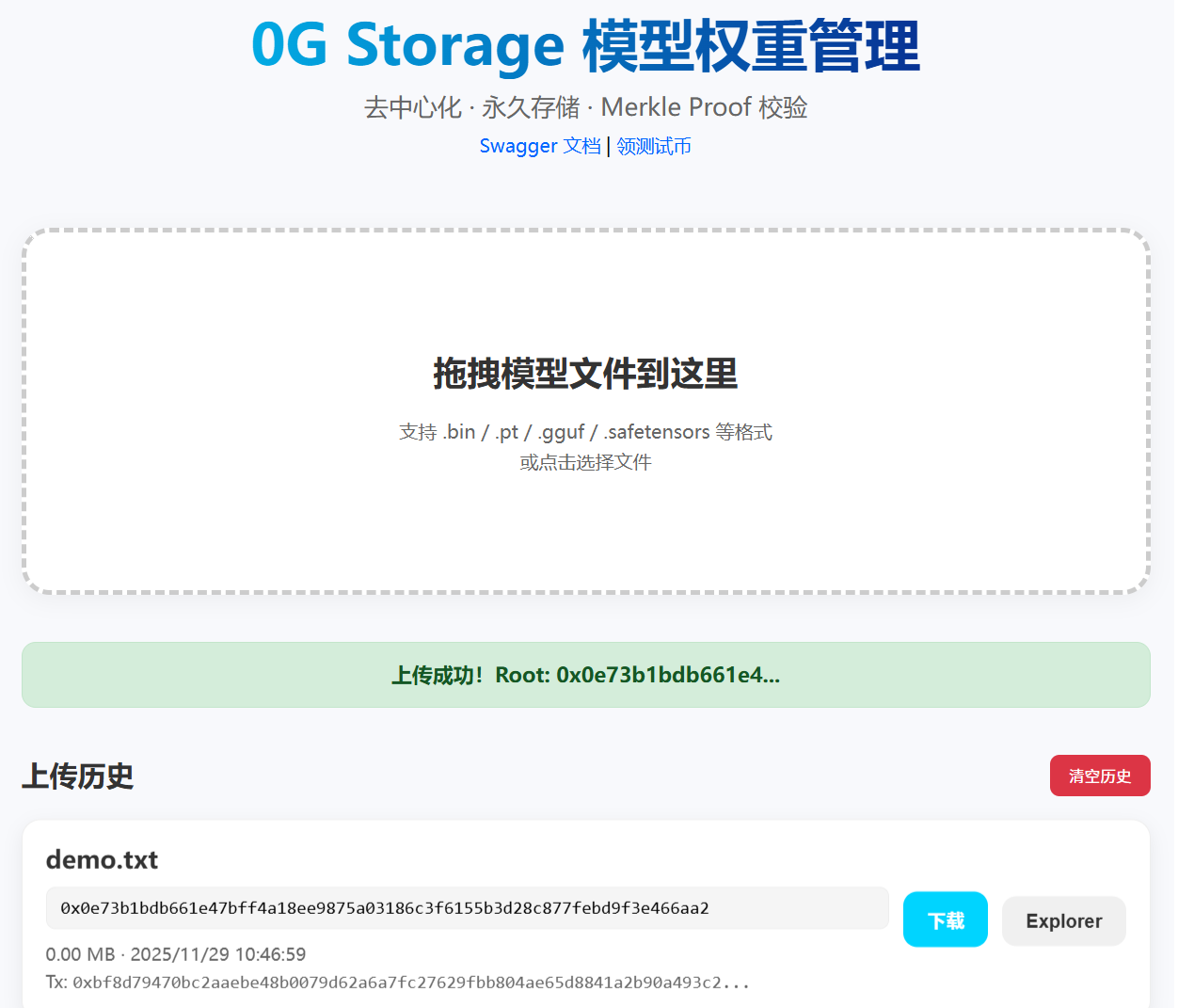
上传文件
下载文件
好了,大功告成,当然还可以优化,比如查询加上链上查询,等等。你现在已经拥有了一个完全属于自己的去中心化存储系统。
前端 https://github.com/BraisedSix/0g-storage-frontend.git 欢迎 Star、Fork
有问题直接找我 wx : w6222o8